Activity check-ins
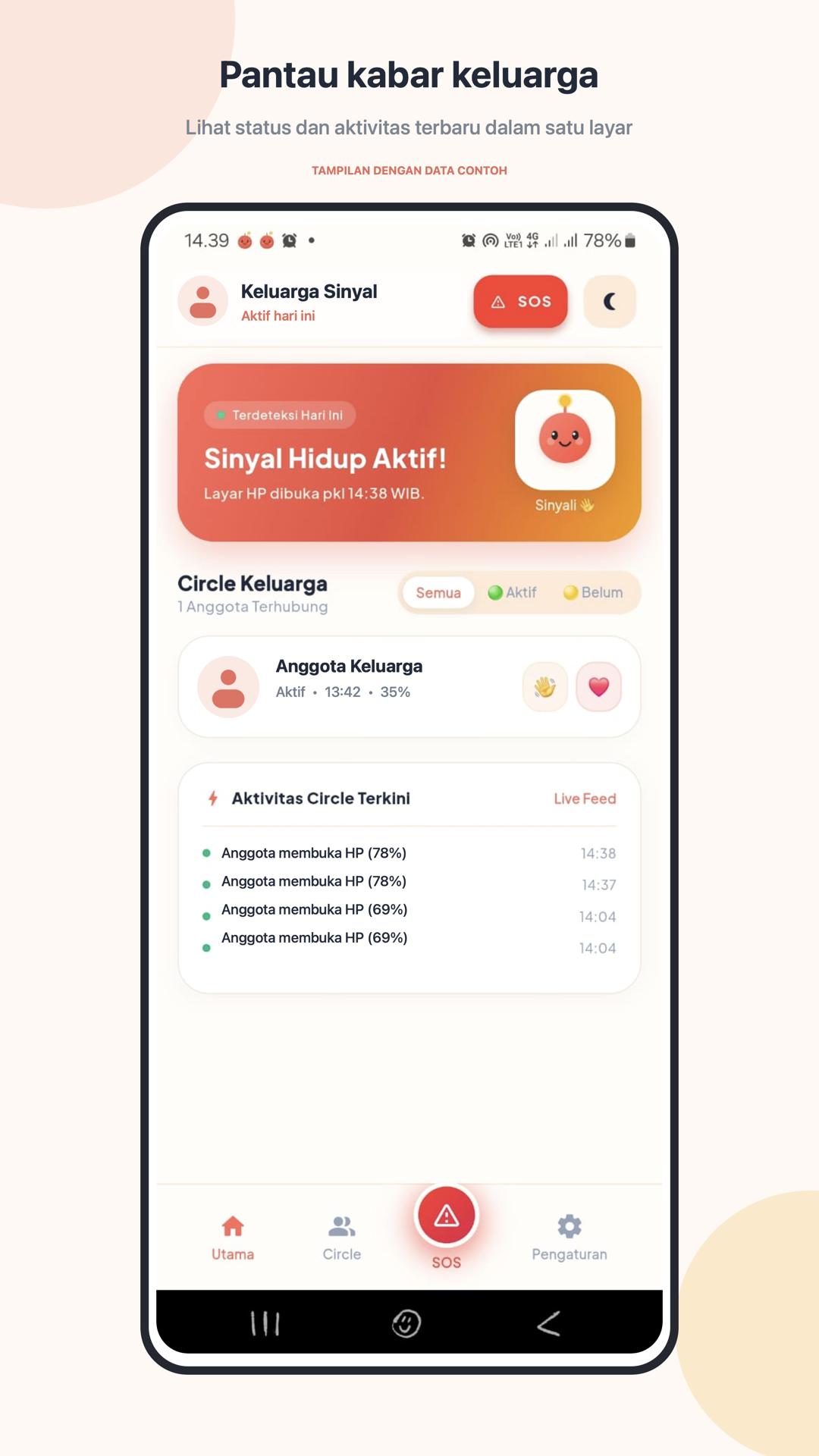
See when a member last unlocked their phone and the latest activity recorded by the app.
TODAYJust now
A little reassurance, every day
A simple way for families to share everyday activity signals, check in with one another, and reach their circle when it matters.
The product
SinyalHidup brings practical family check-ins into one calm, easy-to-use app. It helps you notice everyday activity, share a greeting, and know how to reach your circle.
Explore the featuresSometimes a small sign that someone is okay is all a family needs.

Features
Useful tools for keeping in touch, checking in, and getting help from the people you trust.
See when a member last unlocked their phone and the latest activity recorded by the app.
Create a circle or join one with an invite code or QR scan. Circle owners review join requests.
Send a quick wave or heart to let someone know you’re thinking of them.
Send an urgent alert to active circle members. With permission, the alert can include your current location.
View activity status and battery level, then call or start a WhatsApp chat with a circle member.
Choose Indonesian, English, or Mandarin. Your preference stays saved for your next visit.
Activity check-ins use Android phone-unlock events while monitoring is enabled. Availability can vary with device settings, operating system restrictions, and network access.
A look inside
From a quick family check-in to an urgent SOS, SinyalHidup keeps the important details close and easy to find.
How it works
Get your circle set up, then keep the everyday signals flowing.
Connect with your Google account and add a phone number so your circle can reach you.
Start a family circle and invite people, or scan a QR code or enter an invite code to request to join.
When monitoring is enabled, phone unlocks update activity time and battery information for your circle.
Send a greeting or SOS. If you allow location access, an SOS can include a one-time location.
Stay in the loop
Bring your family circle a little closer with SinyalHidup.
FAQ
Answers to common questions about circles, activity check-ins, and SOS.
Need more help? Contact supportWhen Android monitoring is enabled, SinyalHidup records the time your phone screen is unlocked and the battery level, then shares that status with your active circle. The app may need to be excluded from battery restrictions for monitoring to work reliably.
No. The app requests location access when you trigger an SOS so it can try to attach a one-time current location. Location is not used for continuous tracking.
Scan the circle’s QR code or enter its invite code. Your join request is sent to the circle owner for review. You cannot join your own circle as a member.
SinyalHidup creates an SOS alert for your circle and sends notifications to active members. If location permission is available, the alert can also include your current location. For emergencies, contact local emergency services too.
Yes. You can update your phone number and choose Indonesian, English, or Mandarin in Settings.
Check that notification and background activity permissions are enabled. Some Android devices pause background services to save battery. Manufacturer battery settings may also affect check-ins.
Email tummistudio3@gmail.com from the address linked to your account and request deletion. We may ask for information to verify that you own the account.
Legal & resources
Read how SinyalHidup handles information and what to expect when using the app.
Help & support
Questions about your account, circle, notifications, or an SOS? Send our team a note.